
Get started with Lottie Creator in 2 minutes
LottieFiles·Sep 18, 2024·1 min 49 secs
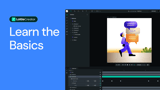
This tutorial introduces the basics of Lottie Creator's user interface. It explores the central canvas for moving objects and previewing creations, the left-side menu for creating new files and uploading assets, and buttons for object selection, shape presets, scene panning, and accessing the Lottie Library. On the right, it covers the export button and property panel for editing properties and scene settings. Additionally, the video explains the layers panel and timeline at the bottom for playing, looping, and testing animations. Learn how to navigate and utilize Lottie Creator to start your animation projects.
7 Videos · 21 mins 26 secs
1
 3:35
3:35How to bundle multiple animations into one dotLottie file | Lottie Creator tutorialLottieFiles
2
 6:17
6:17Lottie Creator gets a huge update; here’s what’s new!LottieFiles
 1:49
1:49Get started with Lottie Creator in 2 minutesLottieFiles
4
 2:26
2:26Export Lottie animations to a variety of file formatsLottieFiles
5
 1:49
1:49Add shapes, layers, and objects to begin the animationLottieFiles
6
2:13Using the layer system to your advantageLottieFiles
7
 3:17
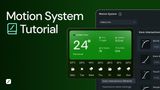
3:17How to Use Motion System in Lottie Creator | Design System for AnimationLottieFiles