
How to Use Motion System in Lottie Creator | Design System for Animation
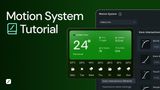
LottieFiles Motion System gives teams a shared standard for color, typography and motion behavior so animations look consistent no matter who builds them.
In this video, we walk through how to apply a motion system inside Lottie Creator: updating color and text styles, applying team-approved easing to keyframes, and using motion presets to animate static SVGs.
Explore Motion System: www.lottie.link/motion-system-yt
Timestamps:
00:00 Introduction to motion systems
00:14 Demonstration using a template in Lottie Creator
00:30 Opening the motion systems panel
01:00 Applying standardized color styles to layers
01:24 Applying shared typography styles to text layers
01:39 Standardizing motion behavior and easing between keyframes
02:31 Using motion presets to animate static SVGs
02:57 Summary of benefits for animation workflows
Follow #LottieFiles on social media:
YouTube: https://lottie.link/YoutubeSubscribe
Instagram: https://www.instagram.com/lottie.files/
X: https://x.com/lottiefiles
Facebook: https://www.facebook.com/LottieFiles/
LinkedIn: https://www.linkedin.com/company/lottiefiles
 3:35
3:35 6:17
6:17 1:49
1:49 2:26
2:26 1:492:13
 3:17
3:17