
From Marketing Campaigns to Interactive UI: Motion Designer Dayo Oyinlola on Planning First, Animating Second

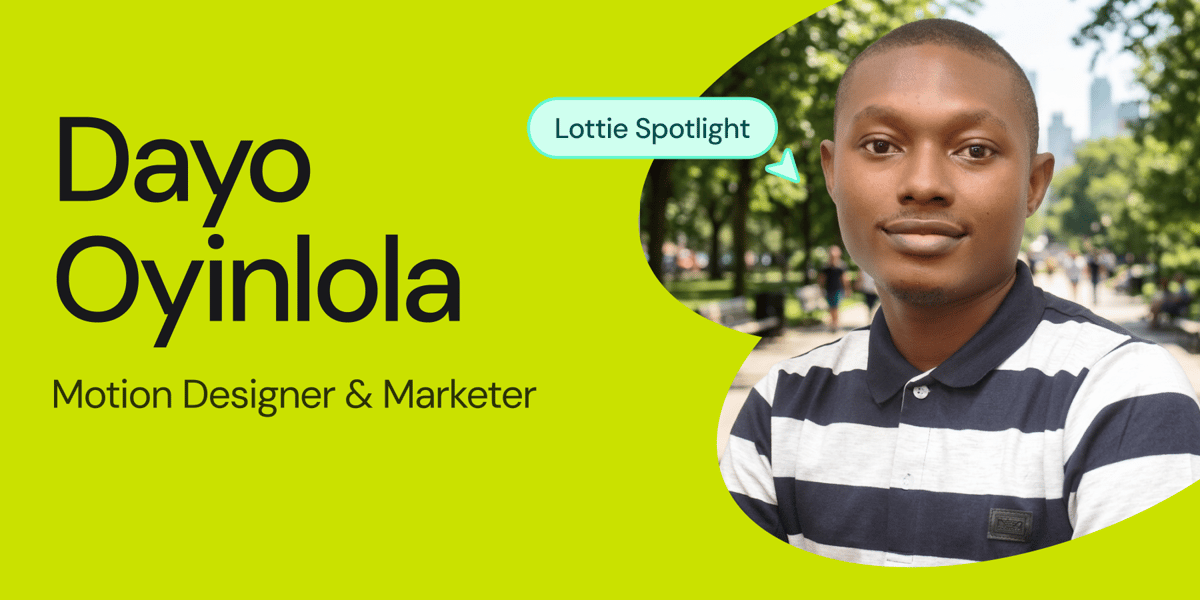
Some motion designers start with animation. Dayo Oyinlola started with the problem animation was meant to solve.
A Motion Designer and Marketer, Dayo came to motion sideways, which was through digital marketing and content creation. He told us about the path that led him there, the interactive piece he's proudest of, and the advice he'd give anyone picking up motion for the first time.
You didn't start in animation. How did you get here?
I got into design through digital marketing and content creation. I started creating graphics and videos for campaigns, which naturally led me to animation. I became interested in motion because it adds another layer to a design.
It can make an idea feel more engaging, interactive, and alive. That curiosity eventually led me to Lottie, where I could combine design, animation, and interactivity in ways that work directly on the web and in apps.
Tell us about the piece you're most proud of
For Dayo, the standout is his Interactive AC Control UI animation, a project that went well past playback into something you could actually use.
The piece I'm most proud of is my Interactive AC Control UI Animation. I wanted to create more than just an animation. I wanted to build a functional interface that users could actually interact with.
I designed the UI in Figma, animated it in Lottie Creator, then used LottieFiles State Machines to create different states, such as changing between cooling and heating. I also used Motion Tokens to make the animation dynamic and responsive to user input.
Finally, I vibe-coded the JavaScript with Claude to bring everything together and make the animation fully interactive. It was a great project because it brought together design, animation, code, and interactivity in one piece.
Walk us through your creative process from the first spark to final export
My creative process starts in Notion. That's where I keep my research, ideas, and moodboards. I usually look at Dribbble and Behance for inspiration before moving into Figma or Illustrator, depending on what the project needs.

For animation, I use After Effects or Lottie Creator, although I use Lottie Creator more these days. With Lottie Creator 2.0, features like Motion Copilot 2.0, the new Graph Editor, Physics Simulator, Motion Tokens, and State Machines make it easier to create dynamic, interactive animations for web and mobile.
One technique I swear by is spending more time planning and designing than animating. If the idea and design are well thought out, the animation becomes much easier to execute. I like to think through the piece and design it properly before I start pushing pixels, or should I say vectors, for Lottie animations.
What's the hardest problem you've had to crack in an animation?
One of the hardest things for me early on was creating interactive Lottie animations with State Machines. Each state has to be designed and animated intentionally so the transitions feel natural. The user should feel like they are interacting with one continuous animation, not moving between separate states.
I learned by studying what other creators had already built. I explored a lot of LottieFiles community animations with State Machines, opened projects in Lottie Creator, and reverse-engineered how the interactions worked. Seeing how other creators approached different interactions helped me understand the logic behind State Machines and eventually build my own.
That's one of the things I love about the LottieFiles community. You can learn by opening and studying real projects instead of just watching them.
Today, State Machines AI makes the process even easier. You can describe the interaction in natural language and have it build the State Machine for you.
I like to think through the piece and design it properly before I start pushing pixels, or should I say vectors.
Finally: your advice for someone just starting out?
My biggest advice is to spend more time planning and designing than animating. I'd say planning and design make up about 65% of the job. Take time to think through what you want the animation to achieve, then design it so it not only looks good but also serves its purpose, whether that's onboarding a client, explaining a product use case, or improving a product experience. A well-designed piece is much easier to turn into a polished animation.
I'd also encourage beginners to reverse-engineer as many projects as they can, especially the ones that make them say, 'Ah, how did they do that?' The LottieFiles community is great for this. You can explore free animations, open them in Lottie Creator, and see how they were designed, animated, made dynamic, and made interactive.

You can follow Dayo's work on LinkedIn, YouTube, Instagram, and X, or at dayooyinlola.com. He shares LottieFiles tutorials, experiments, and resources, especially on LinkedIn and YouTube.
You may also like
From PNG to Premium: How Visual Designer Madhavi Manushree R Animates Luxury
Some designers chase polish. Madhavi chases the feeling of premium.
Lottie Spotlight: How Evgenii Tilipman Builds Websites That Speak for Themselves
Read how developer Evgenii uses motion design to clarify complex ideas, enhance storytelling, and build high-performing websites.
Lottie Spotlight: Arnold – Breathing Life Into Lines
From sketchbooks to sleek digital interfaces today, read Arnold’s journey as a motion designer.
Lottie Spotlight: Nick Jacoy — A Designer Who Thinks in Motion
Whether leading UX/UI at SkySlope or shaping identities for startups, Nick’s believes great designs feels alive.