LottieFiles

dotLottie: An open-source animation package format for every platform

dotLottie bundles one or more Lottie animations & its assets into one single file. It’s up to 10x smaller than Lottie JSON & built for production.

Trusted in production by

Shipping animations at scale can get messy fast. dotLottie fixes this.

Without dotLottie

With dotLottie

Separate assets to manage

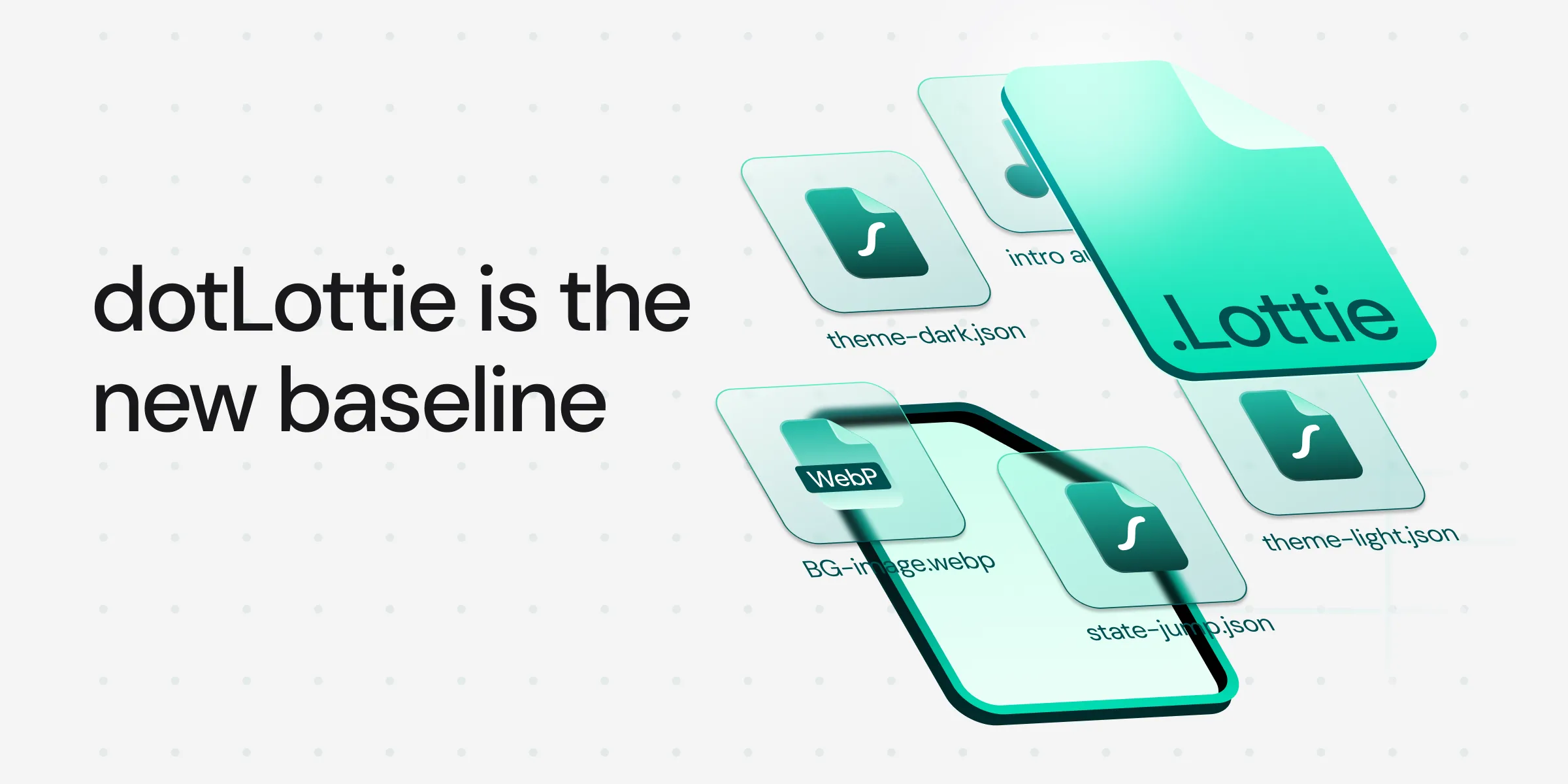
Multiple animations in one file

Bundle 10, 20, 50 animations - shared assets eliminate duplication.

Compressed file format

Up to 10x smaller than Lottie JSON.

Custom code for every interaction

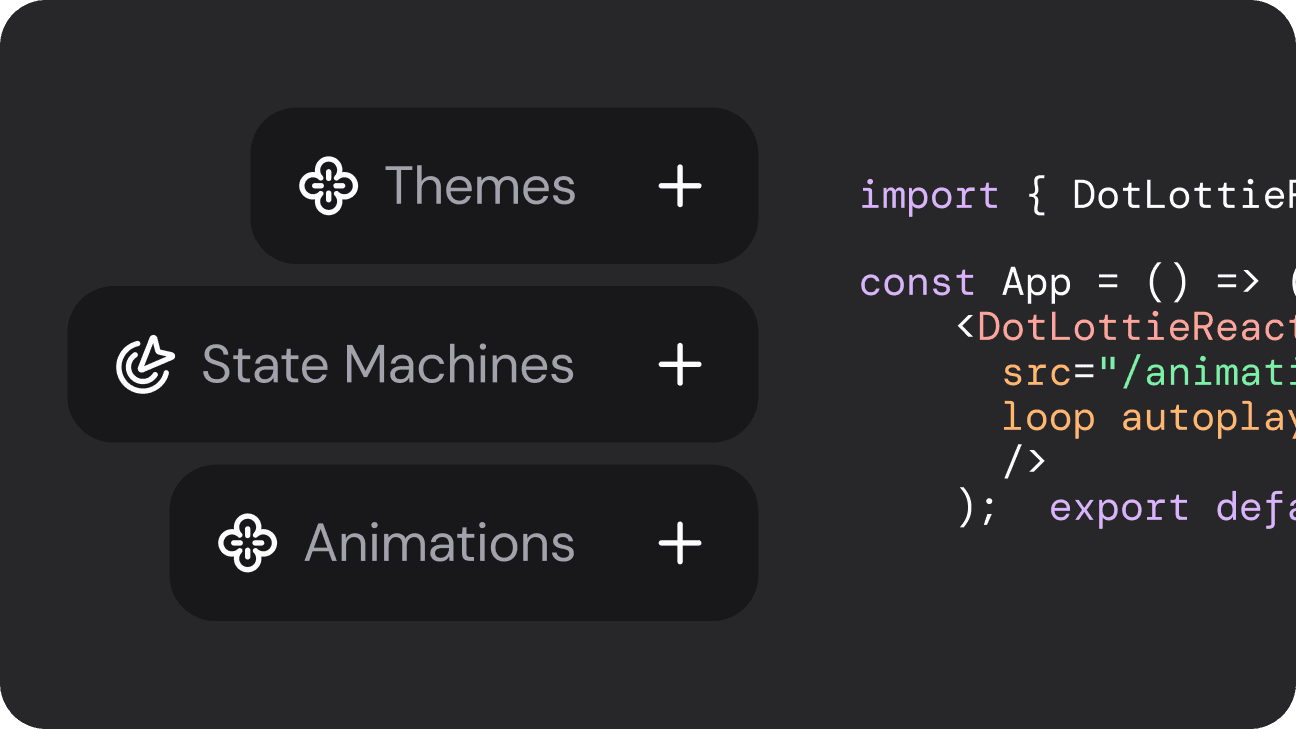
Interactive state machines

Click, hover, scroll triggers, zero custom code.

Duplicate files for every theme

Built-in theming

Switch color schemes without duplicating files.

Different rendering behavior across platforms

Cross-platform rendering

Identical output on Web, iOS, Android, Flutter, React Native.

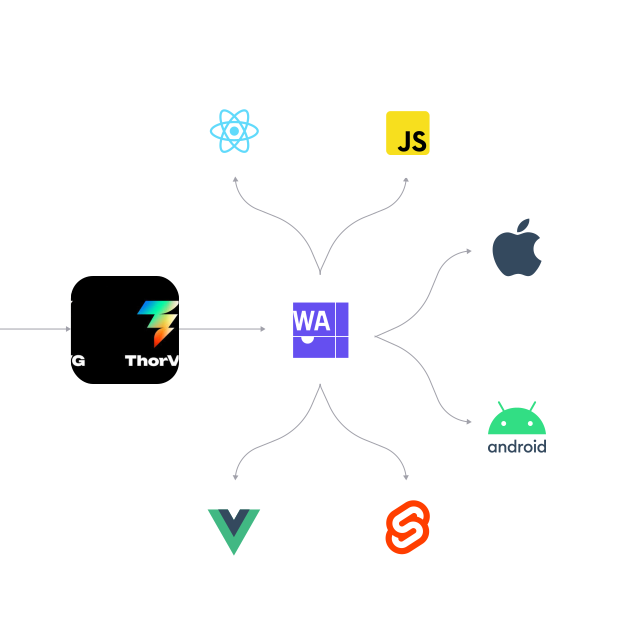
Powered by ThorVG

120+ FPS rendering, ~150KB runtime and WebAssembly on web.

What dotLottie offers

Smaller files.
Faster loads.

dotLottie uses ZIP compression (Deflate) to shrink animation payloads dramatically. For animations with embedded images, the difference is staggering.

One file, unlimited animations

A single .lottie file can bundle dozens of animations that share common assets. Think of it as a sprite sheet, but for vector animations, with individual playback control.

Interactive animations without writing interaction code

dotLottie has built-in state machines. Define states, transitions, and triggers visually in the LottieFiles editor or declaratively in the .lottie manifest. The runtime handles the rest.

moodtracker.lottie

Hover to pick your mood

Theming without duplication

dotLottie comes with built-in theme slots. Define color, opacity, and style overrides as theme objects bundled inside the same .lottie file. Switch themes at runtime with a single API request instantly.

flower.lottie

Change the theme from the dropdown

default

sunset

earth

Same animation, same pixels, every platform

dotLottie runtimes share a cross-platform core written in Rust, with rendering powered by ThorVG (C++). Native bindings expose it to Swift, Kotlin, and other platforms, and it compiles to WebAssembly for web. The same core animation logic runs consistently across every device.

Rendering performance

The dotLottie runtime is powered by ThorVG, a lightweight vector graphics engine featuring advanced rendering backends such as WebGPU, enabling high-performance graphics at up to 120 FPS.

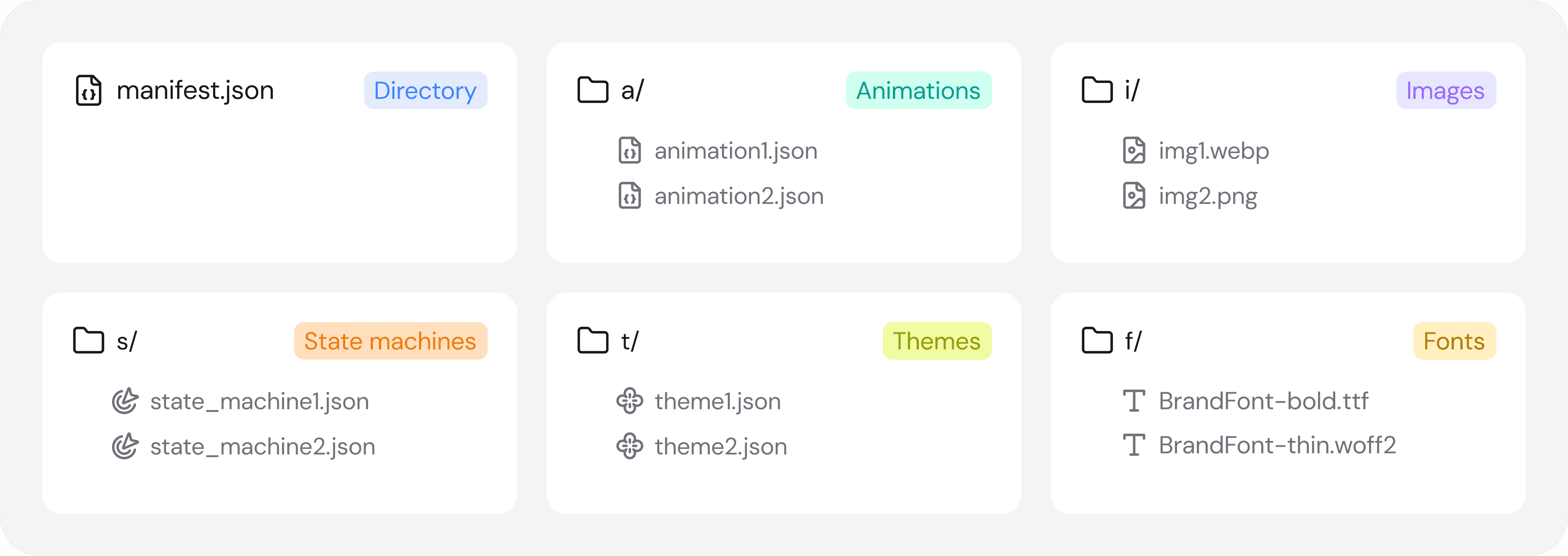
What's inside a .lottie file

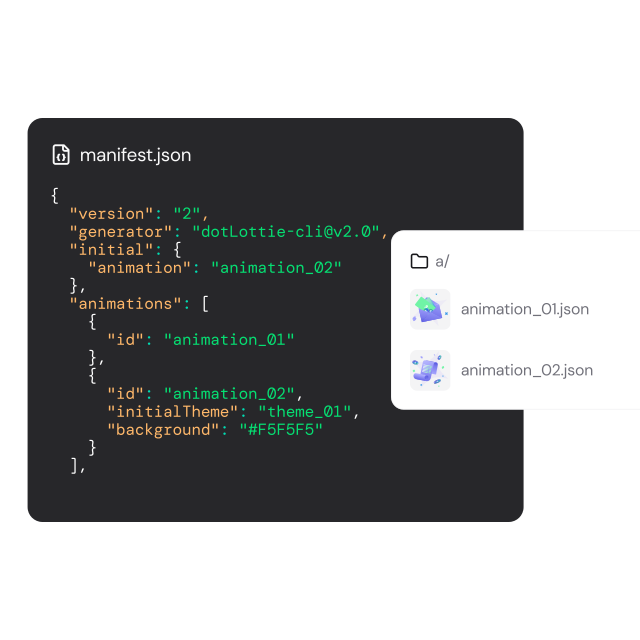
A dotlottie file is a ZIP archive with a well-defined structure. Think of it like a container for a collection of animations and shared assets.

Reduced file size

Theming

Bundle Packages

Interactivity

Works everywhere you ship code

Every SDK shares the same ThorVG rendering engine.

Same animation, same pixels, every platform.

Web

React

VueJS

Svelte

React Native

Flutter

iOS

Android

import { DotLottie } from '@lottiefiles/dotlottie-web';

const dotLottie = new DotLottie({
    autoplay: true,
    loop: true,
    canvas: document.querySelector('#dotlottie-canvas'),
    src: "https://lottie.host/4db68bbd-31f6-4cd8-84eb-189de081159a/IGmMCqhzpt.lottie", // or .json file
});

Already using Lottie?

You're 90% there

dotLottie is a superset of Lottie JSON. Your existing animations work inside a .lottie file with zero modifications. Migration is a packaging step, not a rewrite.

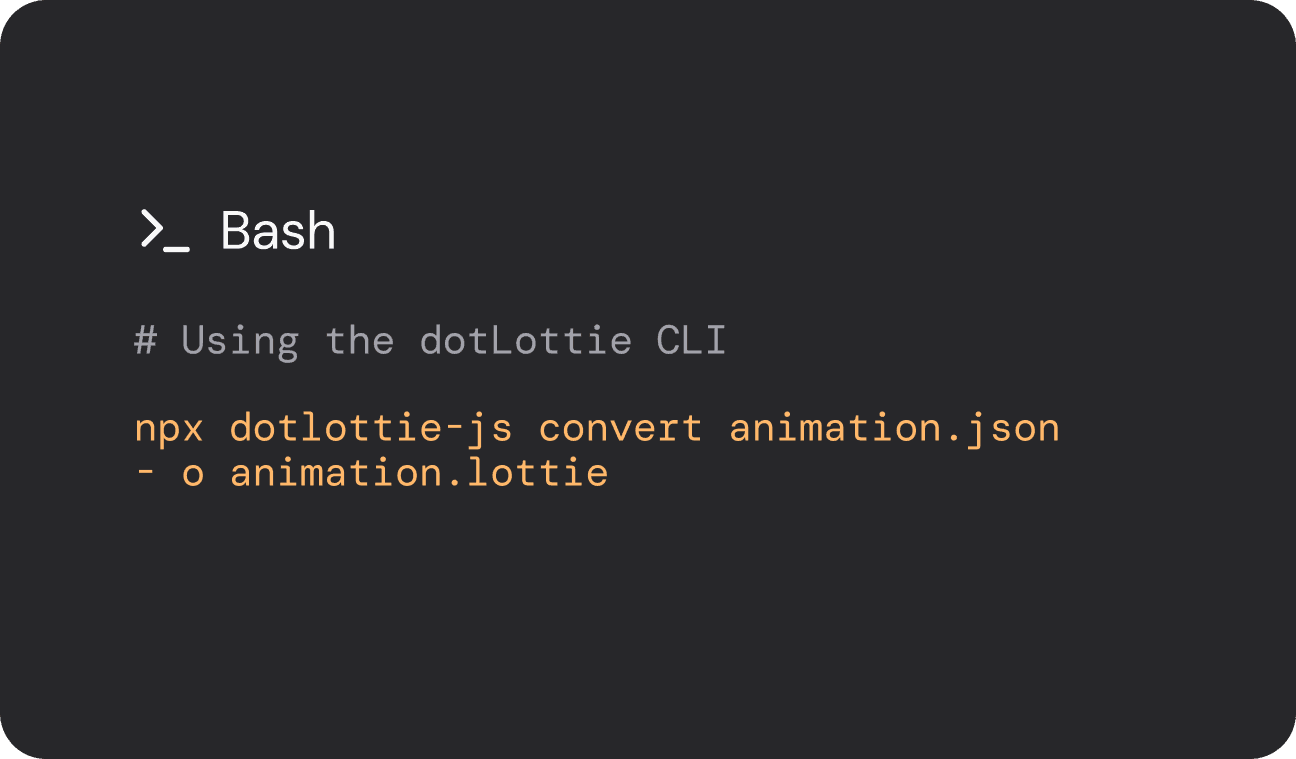
1. Convert your files

Convert your JSON files to the .lottie format using either the dotLottie CLI or the LottieFiles web editor.

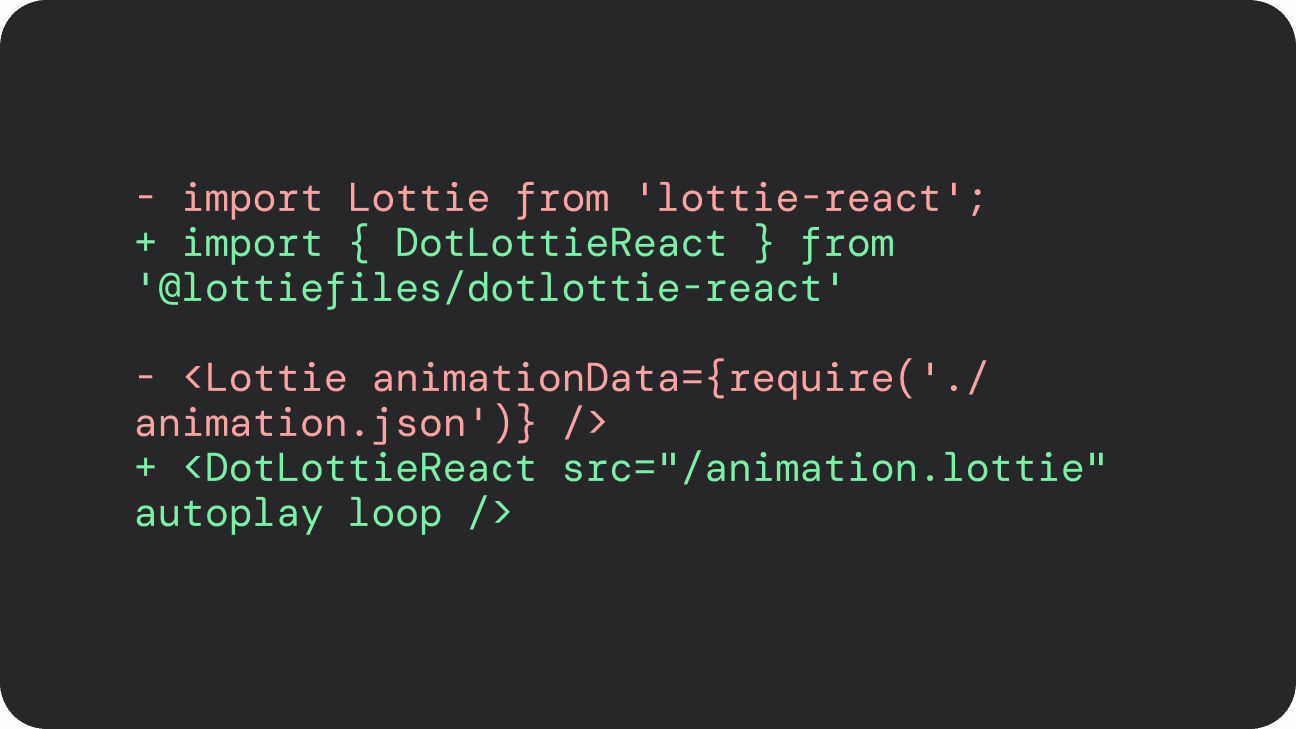
2. Swap the player

Replace the standard Lottie player with the DotLottieReact component and update the source to point to your .lottie file.

3. Enjoy the benefits

Start with a small bundle and incrementally add theming, state machines, and animation libraries as your project scales.

ThorVG gave us 80% faster rendering and 70% less memory usage on iOS

1M+

weekly npm downloads across dotLottie packages

100K+

GitHub stars in the LottieFiles ecosystem

Used in apps serving billions of users

Active contributors across 6 SDKs

MIT licensed — use it anywhere, modify it freely

Backed by LottieFiles - the company making motion accessible to everyone

World's top developers trust in dotLottie

Production-tested animation optimizations at scale. See why 3M+ developers choose dotlottie-web and 2.6M+ choose dotlottie-react every month.

dotLottie made Gojek's animations 89% smaller and improved memory stability by 99.6%, enabling faster loads, smoother performance, and more animations in their app.

For Zomato, exporting their Lookback 2024 flow as dotLottie shrank animation files by 60 70% (most under 100KB), delivering a faster, smoother web experience that still powered over 18.7 million impressions.

For Wise, using dotLottie allowed them to build lightweight, dynamically translatable Ul animations, simplifying their workflow, improving performance, and helping users understand complex finance features more clearly.
Frequently asked questions

What is a dotLottie file?

A .lottie file is a compressed ZIP archive that bundles one or more Lottie JSON animations along with their associated images, themes, and interactive state machine definitions into a single file. It's an open-source format with an IANA-registered MIME type (application/zip+dotlottie).

How much smaller is dotLottie compared to Lottie JSON?

Typically 2-10x smaller, depending on the animation complexity and embedded assets. Animations with images see the largest gains because assets are compressed inside the archive rather than base64-encoded in JSON.

Can I use my existing Lottie JSON animations?

Yes. dotLottie is a superset of Lottie JSON. You can package any existing Lottie JSON file into a .lottie archive without modifications. The dotLottie runtimes play both formats.


How does dotLottie compare to Rive?

Both support interactive state machines and cross-platform rendering. Key differences: dotLottie is open-source (MIT licensed), works with the existing After Effects → Lottie workflow, and is backward-compatible with Lottie JSON. Rive uses a proprietary format and requires its own design tool.

What rendering engine does dotLottie use?

All dotLottie SDKs use ThorVG, a lightweight C++ vector graphics engine (~150KB). On web, it's compiled to WebAssembly. On iOS and Android, it runs natively via FFI bindings. This shared engine ensures identical rendering across every platform.

Does dotLottie support interactivity?

Yes. dotLottie files can include state machine definitions that enable hover effects, click transitions, scroll-driven animations, and data-bound state changes — all without custom JavaScript code. State machines are defined visually in the LottieFiles editor or declaratively in the manifest.

Is dotLottie free to use?

Yes. The dotLottie file format specification and all official SDKs are open-source under the MIT license.


Does dotLottie work with Next.js / Nuxt / SvelteKit?

Yes. The framework-specific packages (React, Vue, Svelte) work with their respective meta-frameworks out of the box, including SSR and static generation.

How do I open a dotLlottie file?

You can open .lottie files with any dotLottie player (web, iOS, Android), or unzip them manually since they're standard ZIP archives.

Can I convert Lottie JSON to dotLottie?

Yes. Use the LottieFiles dotLottie Converter or the dotlottie-js library to convert any .json animation to .lottie format.

Can I convert dotLottie back to JSON?

Yes. A .lottie file is just a ZIP archive. Unzip it to access the original JSON and assets inside. You can use the LottieFiles dotLottie Converter to compress and bundle animations into a single .lottie file.

Does dotLottie work offline?

Yes. Once loaded, dotLottie animations run entirely client-side with no server calls.