


+

Enhance your websites with highly customizable Lottie animations to increase engagement and conversions.
Access the world’s largest Lottie animation library within Webflow, and easily add motion magic across all your Webflow sites.
NEW
Add interactive Lottie animations with a built-in State Machines into your Webflow project
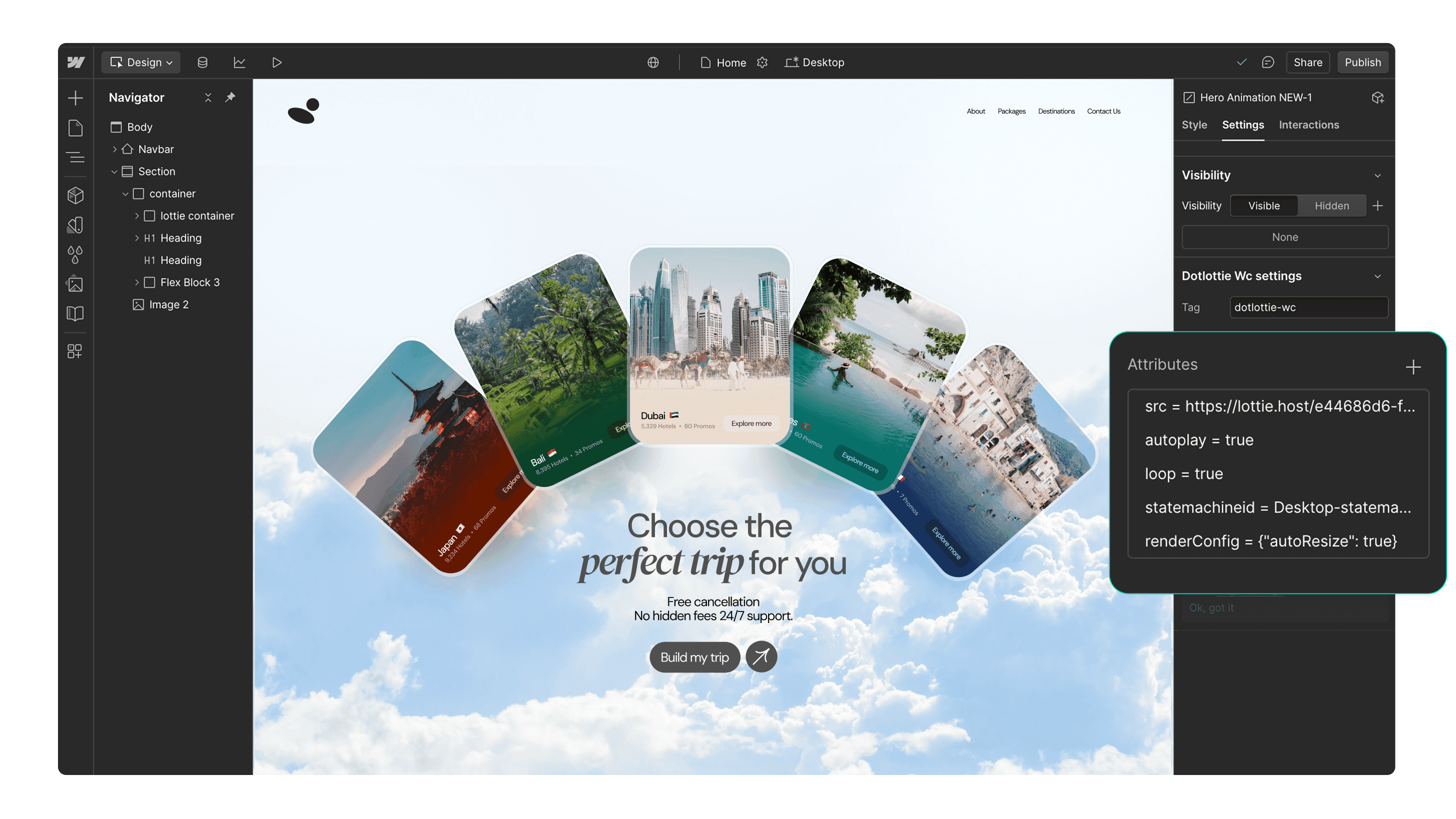
Over 100,000 free, ready-to-use Lottie animations to get you started
Access your team's private animations and insert them directly on Webflow
Native Optimized dotLottie support on Webflow for faster page load speeds
Effortlessly personalize animations to match your brand colors
Works seamlessly with Webflow's interactivity features
Captivate your users with trigger-based animations
Page load
Parallax
Reveal
Built with Lottie. Made in Webflow.
Discover and get inspired by these stunning Webflow sites that were built using Lottie animations.


Get started in 3 simple steps

Install the app
Install the LottieFiles for Webflow app and authorize it for your projects.

Search for an animation
Search for a Lottie animation using the ‘Discover’ or ‘Workspaces’ tabs.

Insert the animation
Insert the animation into your Webflow sites. You can customize the animation’s colors or add interactivity.
Additional resources
Here’s some inspiration for you to get started with LottieFiles for Webflow.








FAQs
What is LottieFiles for Webflow?
LottieFiles for Webflow is an official Webflow app that lets you easily add lightweight, scalable Lottie animations to your website without writing code. It gives you access to over 100,000 free animations plus your private LottieFiles workspace, all directly inside Webflow. Perfect for creating engaging, high-performance visuals in JSON or dotLottie format.
How do I install LottieFiles for Webflow?
To install LottieFiles for Webflow from the Webflow Marketplace:
1. Go to the LottieFiles for Webflow app’s page on the Webflow Marketplace
2. Click ‘Add to site’
3. Select the Workspaces and/or sites you want to add the app to
4. Click ‘Authorize app’
5. Click ‘Go to LottieFiles for Webflow’ on the pop-up banner
6. Follow the app’s instructions to add it to your site
Where can I find Lottie animations for my Webflow sites?
LottieFiles for Webflow provides access to a vast library of Lottie animations right within Webflow. You can browse through the library directly from within Webflow, search for specific animations based on keywords or categories, and choose the ones that best suit your design needs.
Are Lottie animations supported on Webflow?
Yes. Webflow natively supports Lottie animations in both JSON and dotLottie formats, ensuring they load quickly and maintain high visual quality. This means you can integrate interactive, scalable animations directly into your Webflow projects without additional setup.
Can I customize the Lottie animations in my Webflow sites?
Yes, LottieFiles for Webflow allows you to customize the inserted animations by applying your brand colors.
Are the Lottie animations in LottieFiles for Webflow free?
Yes. LottieFiles for Webflow includes thousands of free animations you can use in your projects. Some premium animations may also be available for purchase within the LottieFiles library.
Can I use LottieFiles for Webflow in my commercial projects?
Yes, you can use LottieFiles for Webflow in both personal and commercial projects. The app provides a versatile collection of animations that can elevate the visual appeal of your Webflow sites.
Are new animations added regularly to LottieFiles for Webflow?
Yes, the creators in the LottieFiles community add hundreds of new animations to the public library every day. This ensures that you always have fresh and exciting options to choose from, providing endless possibilities for your Webflow sites.
Is there a limit to the number of Lottie animations I can use with LottieFiles for Webflow?
There is no specific limit to the number of Lottie animations you can use with LottieFiles for Webflow. You can incorporate as many animations as you desire, allowing you to create truly immersive and engaging websites.
Can I access my private animations through the LottieFiles for Webflow app?
Yes, you can access and insert your private animations from your LottieFiles workspace directly into your Webflow sites.
What are trigger-based animations in LottieFiles for Webflow?
Trigger-based animations in LottieFiles for Webflow are animations that play based on specific user actions or page events, such as when a page loads, when a user scrolls (parallax), or when an element is revealed on screen. These animations help create a more interactive and engaging user experience, guiding attention and adding visual interest to your site.
Do Lottie animations affect my site speed in Webflow?
Lottie animations are lightweight and optimised for web performance. For best results, use the dotLottie format, keep animation complexity minimal, and limit the number of simultaneous animations on a page to ensure fast loading.
Ready to add motion to Webflow?
With LottieFiles for Webflow, you can seamlessly add motion to your Webflow site quickly and easily.