
Figma Prototypes Now Export As Interactive dotLottie


Hey everyone, George here.
Figma prototypes are a powerful tool beloved by designers the whole world over, but there is one glaring issue… they don’t actually, you know, do anything. You spend all that time making it, and then it can never escape the design file into the real world. It’s just an example of an ideal for a developer to reference, spending an equal amount of time rebuilding it in code.
Well, those days are over.
Introducing Figma State Machines
Using our LottieFiles for Figma plugin, you can now export your prototypes as fully interactive dotLottie state machines, neatly packaged into a single file to add directly to production. Like check this one out:
This makes rolling out to production much faster and gives designers more control over their motion and interactivity. Here, let me show you a quick demo.
Let’s say I want to create an animation that responds to user inputs. I have this widget sync UI that is perfect for adding a bit of interactivity. First I just create my prototype in Figma as I normally would. This involves creating the frames of the animation which translate to its states (Hover, Click, and a few in-between states for animation).
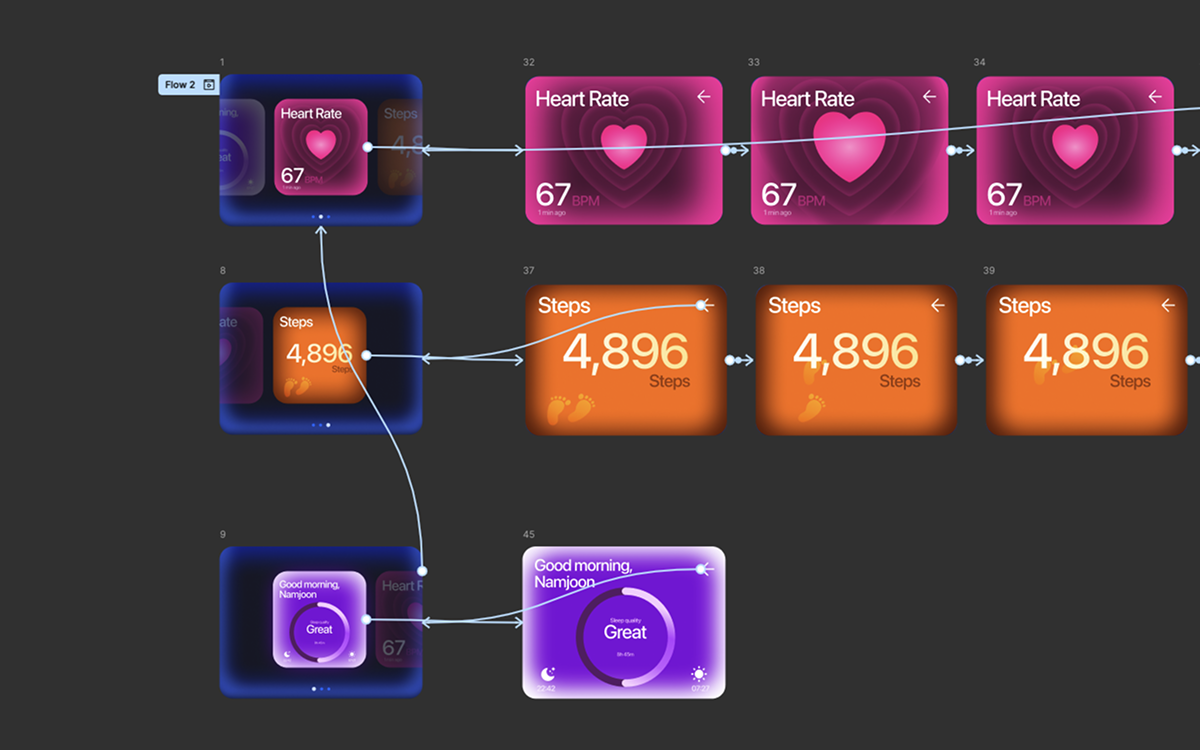
Now normally that’d be it. I’d have to export this as a Lottie using the LottieFiles plugin and then ask the developer to hook it up in code (or bring it to Lottie Creator and add the state machine to it manually). Instead, now when I go to export the animation with the plugin, I get the option to export it with a state machine.
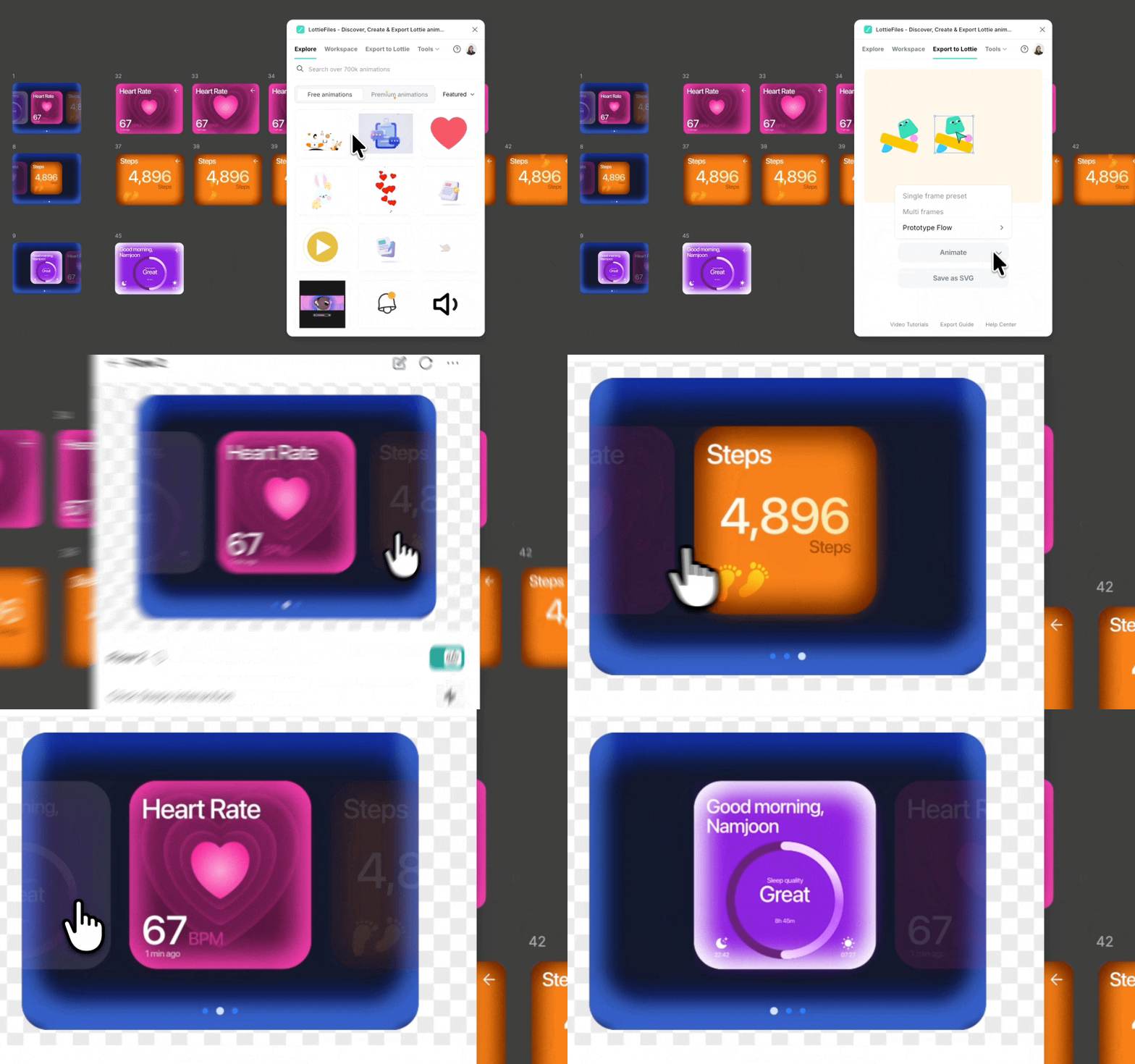
You can play with it in the preview and then export it as a dotLottie, with the hover and click inputs already wired up. Then all you gotta do is send that file to your developer with no post-processing necessary. Or if you’d like to edit it a bit further, you can always do advanced editing within Lottie Creator.
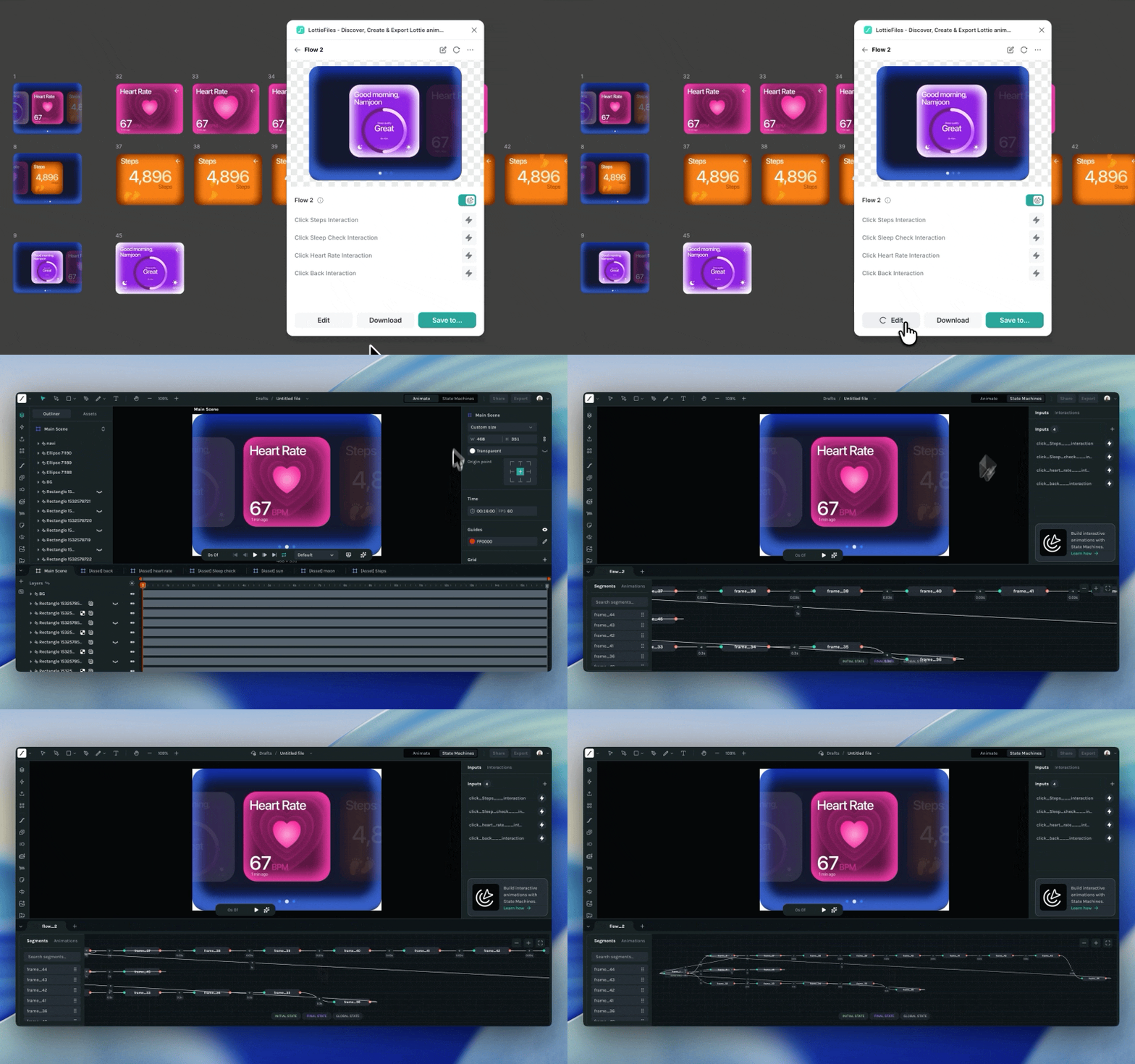
Of course, we haven’t removed the regular animation-first workflow that many of you have come to know and love. You can just toggle off the state machine and export the Lottie animation only if that’s what you want.
Want to see more examples?
We've put together a some interactive dotLottie state machines built straight from Figma prototypes so you can see exactly what's possible before you dive in yourself.
Want to try it yourself? Find more examples within community playground, and feel free to poke around, and get inspired.
Interactive Motion Design is Here
For the first time, interactive motion doesn’t have to stop at the prototype.
This workflow collapses the gap between design and production. What used to take multiple tools, handoffs, and re-implementation now happens in a single step, directly from Figma to a production-ready asset. Designers stay in control, and developers get exactly what was intended. The result ships faster with fewer compromises.
It’s not just more efficient; it fundamentally changes who owns interactivity. Motion and behavior are no longer “interpreted” downstream. They’re defined at the source.
Yes, there are AI tools that promise to generate code from designs. But in practice, that often turns into a back-and-forth, like tweaking prompts, fixing edge cases, and chasing something that almost matches your intent.
Now Figma prototypes are translated into dotLottie state machines through a deterministic, rule-based system. Every transition, trigger, and state is mapped explicitly. What you design is what you get.
What are you waiting for?
This particular feature has been a huge hit among the designers at LottieFiles, partially due to how easy it is and partially due to the value added. It really does just feel like something that should have existed all along. Try Figma State Machines now and see just how easy it is!
You may also like

How to Create Animations with AI Using Lottie Creator WebMCP
Guide to creating and refining animations with AI using Lottie Creator WebMCP.
How to Build Your First Lottie Creator Plugin: Create and Animate a Rectangle
Creating a beginner-friendly Lottie Creator plugin using the Creator plugin API.
How to Develop and Publish a Plugin for Lottie Creator
Learn how to create, test and publish a plugin to LottieFiles Extensions.

Lottie/dotLottie vs. GIF: Choosing the Right Animation for You
The two most popular web animation formats, Lottie and GIF, collide head-on. This blog will focus on the 5 most important parameters to tell you who's the boss!