LottieFiles
LottieFiles

+

Visual Studio Code

Designer-quality motion, right in your developer workflow

Designer-quality motion, right in your developer workflow

Browse 100,000+ animations from the VS Code editor, customize them, then copy and paste code snippets into your project hosted via CDN.


for

for

and

and

Find

Search the LottieFiles library or open a file from your team's workspace.

Customize

Recolor, swap themes or tweak motion tokens.

Integrate

Copy a framework-ready snippet from React, Vue, Angular and JavaScript.

Bundle

Combine animations into one file using dotLottie composer.

Ship

Easily host animations via CDN or download directly from the plugin.
Trusted by

16

million+ designers and

developers from over

280,000

companies worldwide

Trusted by

16

million+ designers and

developers from over

280,000

companies worldwide

Trusted by

16

million+ designers and

developers from over

280,000

companies worldwide

Browse. Customize. Integrate.

Browse. Customize. Integrate.

Manage your motion without leaving your editor; all from one sidebar.

Manage your motion without leaving your editor; all from one sidebar.

Browse 100,000+ ready-to-ship Lottie animations

Search the free LottieFiles library straight from the sidebar. Preview, then use them in your project; no browser tab required.

Browse 100,000+ ready-to-ship Lottie animations

Search the free LottieFiles library straight from the sidebar. Preview, then use them in your project; no browser tab required.

Always-on dotLottie playback

Open any dotLottie or Lottie JSON file and watch it run inside the editor. Scrub frames, change speed, loop segments and live-reload while you edit.

Always-on dotLottie playback

Open any dotLottie or Lottie JSON file and watch it run inside the editor. Scrub frames, change speed, loop segments and live-reload while you edit.

Recolor animations

without writing code

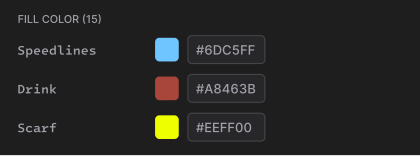
Swap themes, preview motion tokens and match your brand with live preview. Copy the snippet when it looks right and drop it straight into your codebase.

Recolor animations without writing code

Swap themes, preview motion tokens and match your brand with live preview. Copy the snippet when it looks right and drop it straight into your codebase.

Motion token (17)

Default

Sunset

Night

Motion token (17)

Default

Sunset

Night

Motion token (17)

Default

Sunset

Night

Test Lottie State Machines

Test every state and transition before it ships. Trigger interactions, step through flows and inspect your dotLottie file visually.

Test Lottie State Machines

Test every state and transition before it ships. Trigger interactions, step through flows and inspect your dotLottie file visually.

Access your team's workspace

Pull your team's workspace animation files directly into VS Code and integrate them into your codebase without leaving the editor.

Access your team's workspace

Pull your team's workspace animation files directly into VS Code and integrate them into your codebase without leaving the editor.

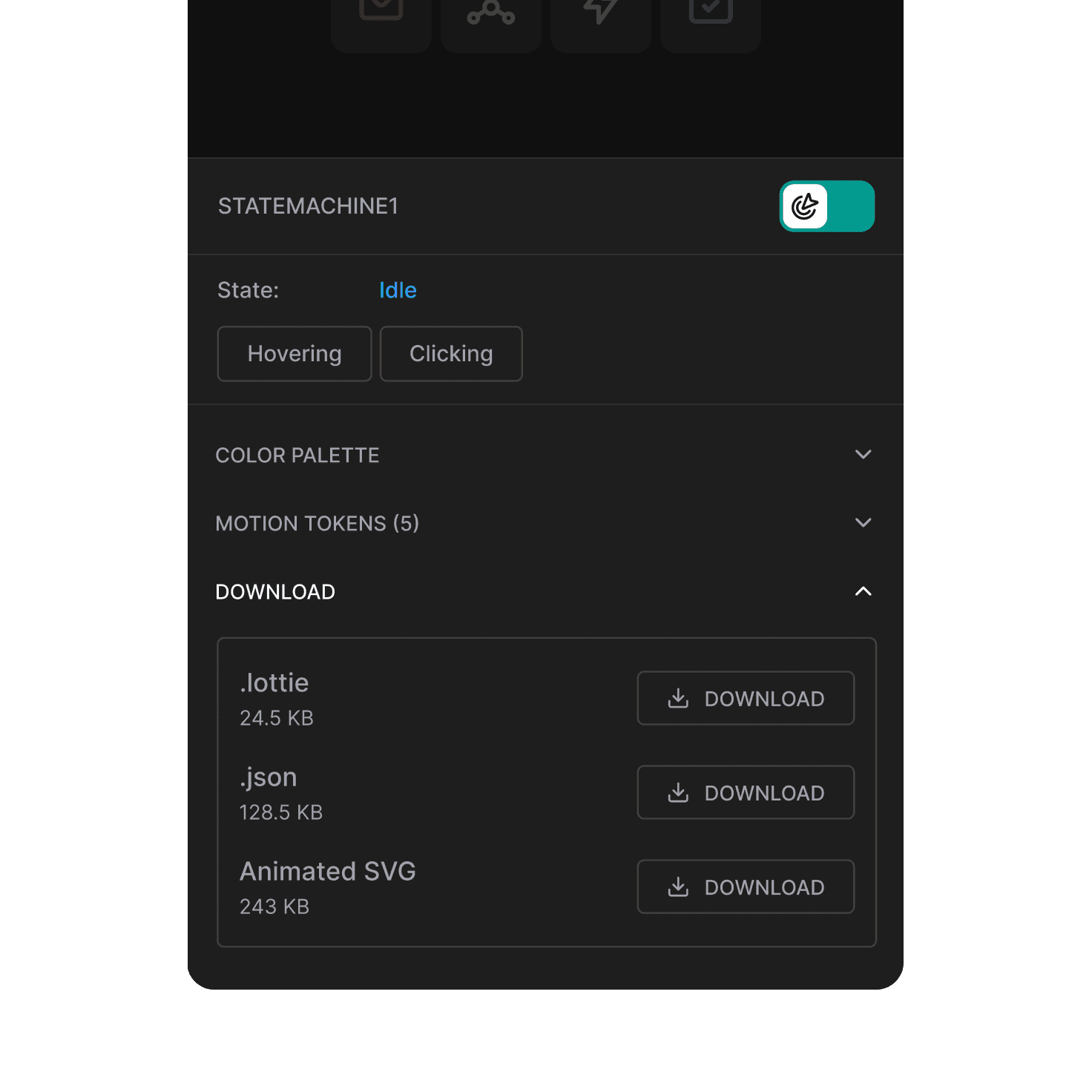
Ship in the format that fits your stack

dotLottie, Lottie JSON, or Animated SVG; every format is ready to download and drop straight into your project.

Ship in the format that fits your stack

dotLottie, Lottie JSON, or Animated SVG; every format is ready to download and drop straight into your project.

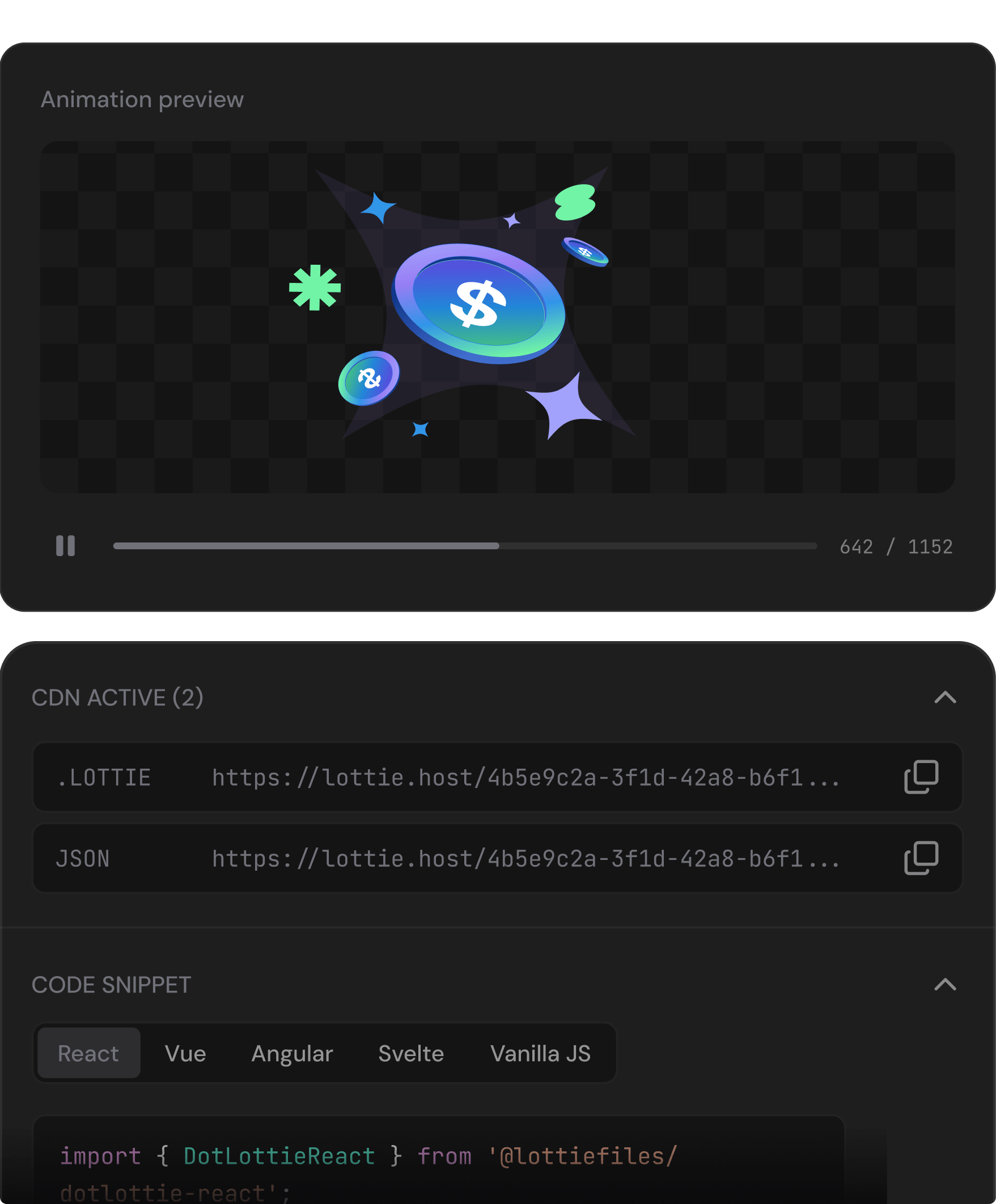
Get your snippet or CDN link in one click

Get your snippet or CDN link in one click

Grab a CDN URL or framework snippet and use it in your project. No extra tooling needed.

Grab a CDN URL or framework snippet and use it in your project. No extra tooling needed.

Host your animation with one-click

Host your animation with one-click

Snippets for React, Vue, Angular, Svelte, and JS

Snippets for React, Vue, Angular, Svelte, and JS

Always up to date, no redeployment needed

Always up to date, no redeployment needed

The world’s top developers trust Lottie & dotLottie

The world’s top developers trust Lottie & dotLottie

Powering motion at Google, Disney, Airbnb and 280,000+ companies worldwide.

Powering motion at Google, Disney, Airbnb and 280,000+ companies worldwide.

By standardizing motion with Lottie, Banksalad's designers and engineers now collaborate around a shared motion language, ship expressive animations across iOS, Android, and Web, and scale interaction design without compromising performance.

For Zomato, exporting their Lookback 2024 flow as dotLottie shrank animation files by 60-70% (most under 100KB), delivering a faster, smoother web experience that still powered over 18.7 million impressions.

For Wise, using dotLottie allowed them to build lightweight, dynamically translatable Ul animations, simplifying their workflow, improving performance,
and helping users understand complex finance features more clearly.

Frequently asked questions

Which code editors does the LottieFiles extension support?

The LottieFiles extension supports Visual Studio Code 1.85 and above, including Cursor, Windsurf, and VS Code forks. The same VSIX works across all VS Code editors.

Do I need a LottieFiles account to use the LottieFiles extension?

No account is needed to get started. You can preview and edit local Lottie files right away. However, signing in unlocks workspace browsing, CDN hosting, and access to private team assets.

What's the difference between dotLottie and Lottie JSON files?

Lottie JSON (.json) is the original schema, plain text and easy to inspect. dotLottie (.lottie) is the next evolution of Lottie that is compressed, smaller in file size, and capable of bundling themes, state machines, and multiple Lottie animations in a single file — recommended if you are shipping to production.

Is the extension free?

Yes — install from the Marketplace at no cost. Workspace features and CDN hosting follow your LottieFiles plan.

How do I install the LottieFiles for VS Code extension plugin in Cursor or Windsurf?

Open the Extensions panel in Cursor or Windsurf, search for LottieFiles, and click Install. You can also download the .vsix file from the Marketplace and install it manually if needed.

Can I add Lottie animations to my project without editing JSON manually?

Yes. Browse and drop animations from the library, recolor them visually, generate a framework snippet, and you're done — the JSON stays under the hood.