
Animated Avatars with Lottie: Building Personalized, Interactive Personas

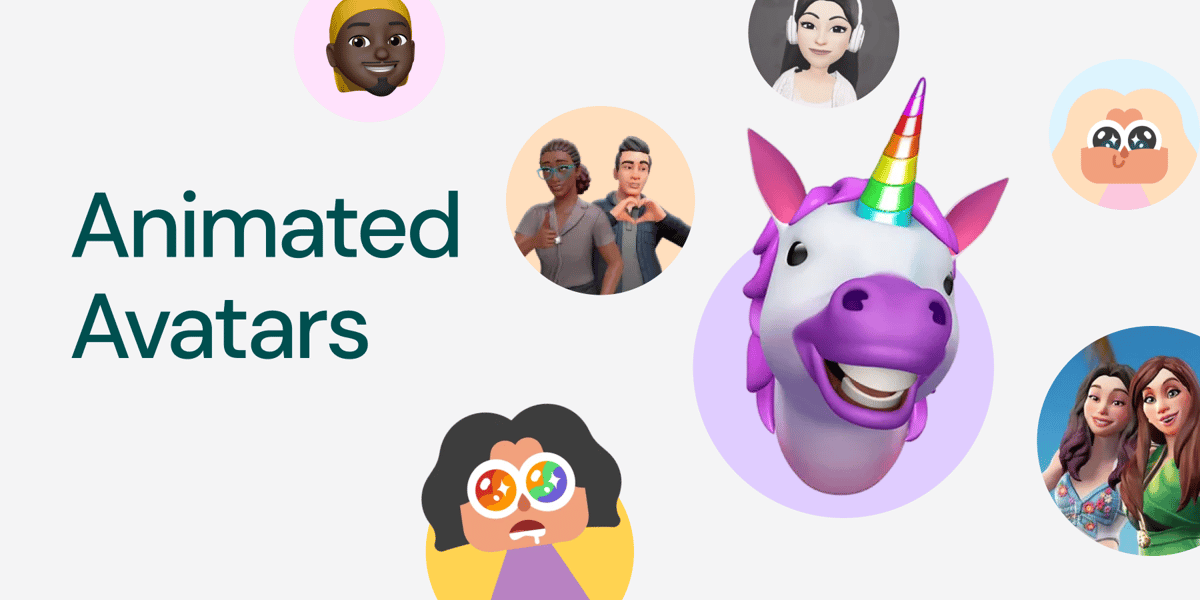
Your users aren’t static — their identity shouldn’t be either. Animated avatars bring personality, emotional expression, and interactivity into digital experiences without weighing down performance. With Lottie animations, avatars become lightweight, responsive, and fully customisable companions across apps, platforms, and products.
Let’s explore how Lottie turns animated avatars into powerful UX building blocks.
1. Expressiveness without the Weight
Avatars rely on subtle nuances — eye darts, micro-expressions, head tilts, anticipation, breathing loops — to feel human. Video formats often lose these details due to compression, while GIFs become too heavy for full product ecosystems.
Lottie solves this with:
- Vector-based rendering that stays crisp at any size
- High-fidelity animation that supports advanced easing, paths, and expressive rigs
- Tiny file sizes, often 10–30× smaller than GIFs
- The dotLottie format (.lottie) — a bundled, optimised container that packages states, animations, and metadata into one compact, load-efficient file
This makes avatars viable for messaging UIs, community feeds, dashboards, onboarding flows, and even low-bandwidth regions.
2. Avatars That React to the User
Animated avatars become far more engaging when they respond directly to user behaviour. With dotLottie State Machines, a single avatar file can contain all emotional states and reactions — triggered programmatically.
Examples of what this unlocks:
- Avatar smiles when a message is sent
- Avatar reacts when the user completes a task
- Eyes follow cursor or touch input
- Avatar expresses empathy in error states
- Avatar “listens” during voice input
- Avatar mirrors presence states (typing, away, active)
Previously, these behaviors required game engines or heavy pipelines. With Lottie, designers build them visually — developers simply connect the logic.
3. Scalable Across Platforms & Screen Sizes
Animated avatars appear everywhere: messaging apps, dashboards, mobile UIs, virtual classrooms, and digital communities.
dotLottie makes them adaptable with:
- Resolution-independent vectors
- Theming support for personalization and skin tone variations
- Easy updates without re-exporting multiple videos
- A single-source-of-truth .lottie file containing all avatar states
This eliminates the pain of managing dozens of PNG sequences or video variations.
How Lottie animations enhances avatar-driven user experiences
1. Humanizing Interfaces
Subtle motions like blinks, nods, and gentle smiles reduce friction and make digital interactions feel warm. In learning, telehealth, and teamwork apps, these gestures help users feel more understood and supported.
2. Creating emotional feedback loops
Lottie avatars amplify emotional design through responsive feedback:
- Error states: avatar expresses empathy
- Success moments: avatar celebrates progress
- Waiting states: calm idle loops reduce impatience
- Gamified tasks: avatar reacts to achievements or streaks
Because Lottie runs in real time, reactions feel immediate and personal.
3. Strengthening identity & representation
Animated avatars help users feel represented through both appearance and motion.
Lottie supports:
- interchangeable features (hair, skin tone, accessories)
- emotion-driven behaviours
- seasonal themes
- cultural variations
- event-based reactions
This strengthens community identity and fosters belonging.
How brands are using animated avatars
Animated avatars are already shaping how users express identity across today’s biggest platforms — from messaging apps to productivity tools and virtual meeting spaces.
While not all of the examples below use Lottie, they demonstrate the many ways animated avatars can enhance digital experiences through personality, emotional feedback, and user-driven expression. More importantly, they highlight the exact kinds of expressive, lightweight, multi-state behaviors that Lottie and dotLottie can enable — but with far smaller files, easier theming, and true cross-platform delivery.
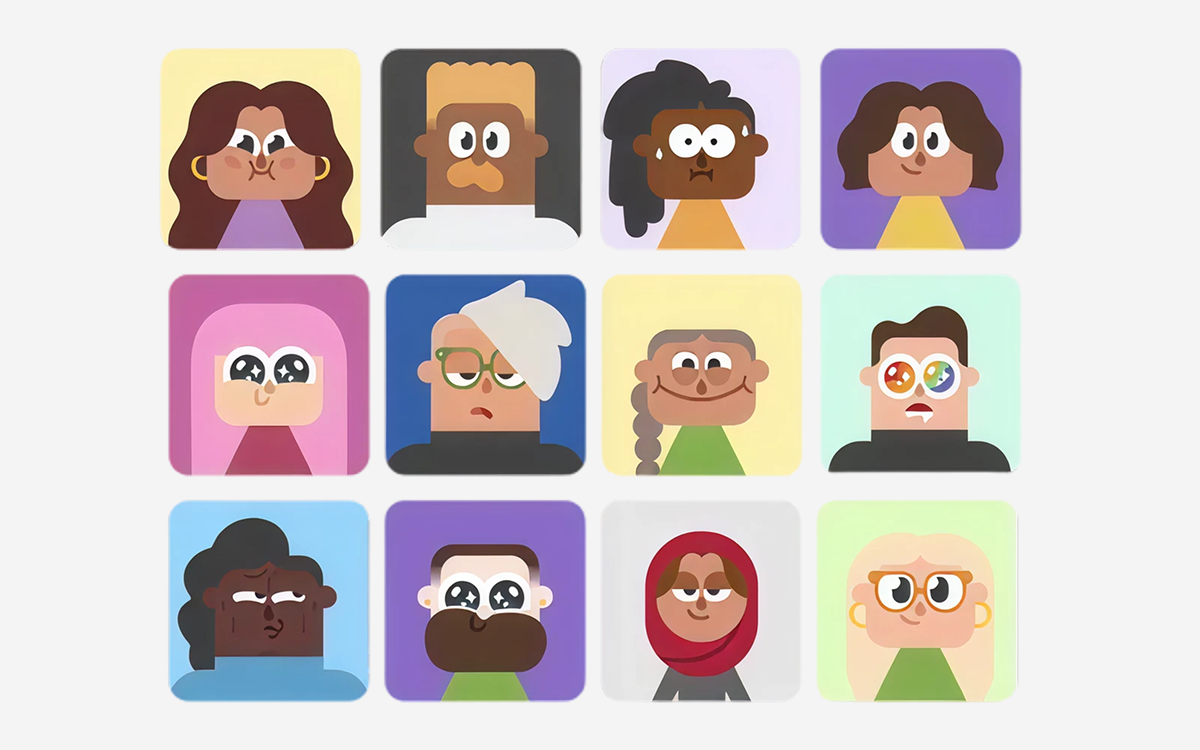
1. Duolingo: Instructor Avatars (Early Language Guides)
Before the owl became the mascot, Duolingo used animated instructor avatars to guide users emotionally through lessons.
Used in:
- Onboarding
- Feedback moments
- Achievement celebrations
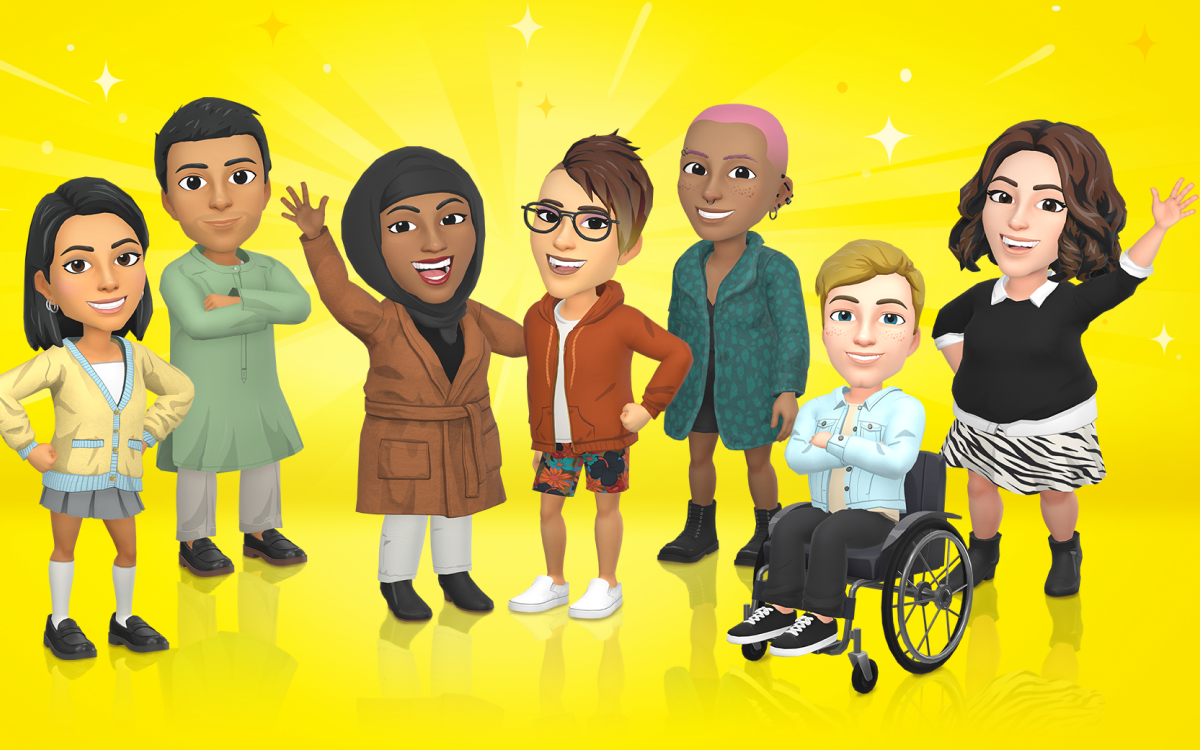
2. Snapchat: Bitmoji (Personal Identity Layer)
Bitmoji set the global standard for expressive, personalised avatars that appear everywhere inside Snapchat.
Used in:
- Chat reactions
- Stories & stickers
- Snap Map
- Notification prompts
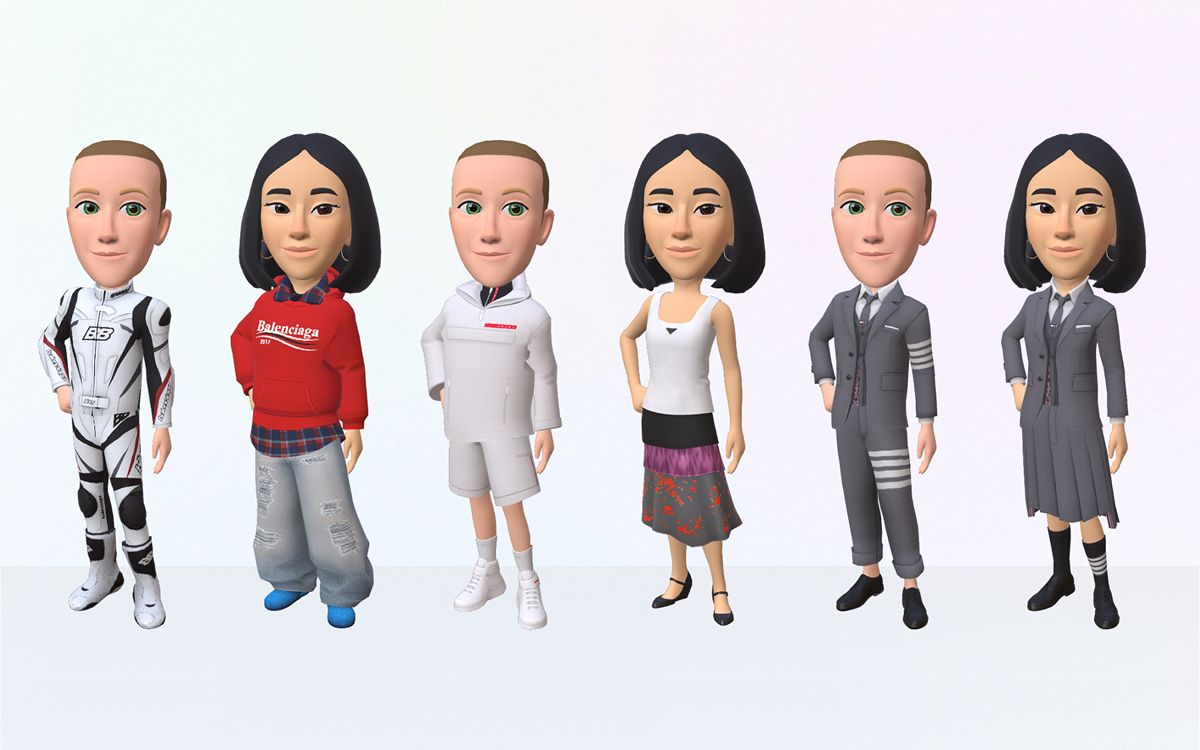
3. Meta: 3D Avatars Across Facebook, Instagram & Messenger
Meta introduced unified customisable avatars that travel across apps and even into VR.
Used in:
- Stories
- Reactions
- Chat stickers
- Virtual environments
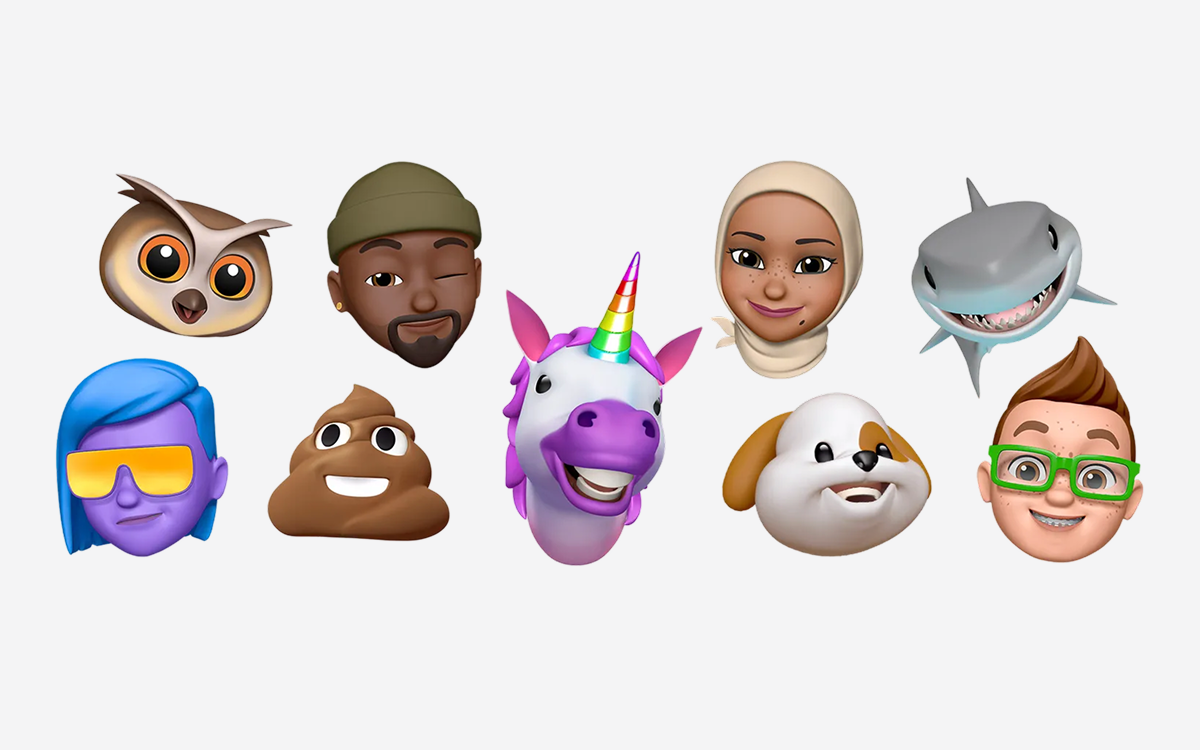
4. Apple: Memoji (Self-Expressive Animated Faces)
Memoji lets users turn their expressions into animated avatars that mirror real-time emotion.
Used in:
- iMessage
- FaceTime
- Apple Watch profiles
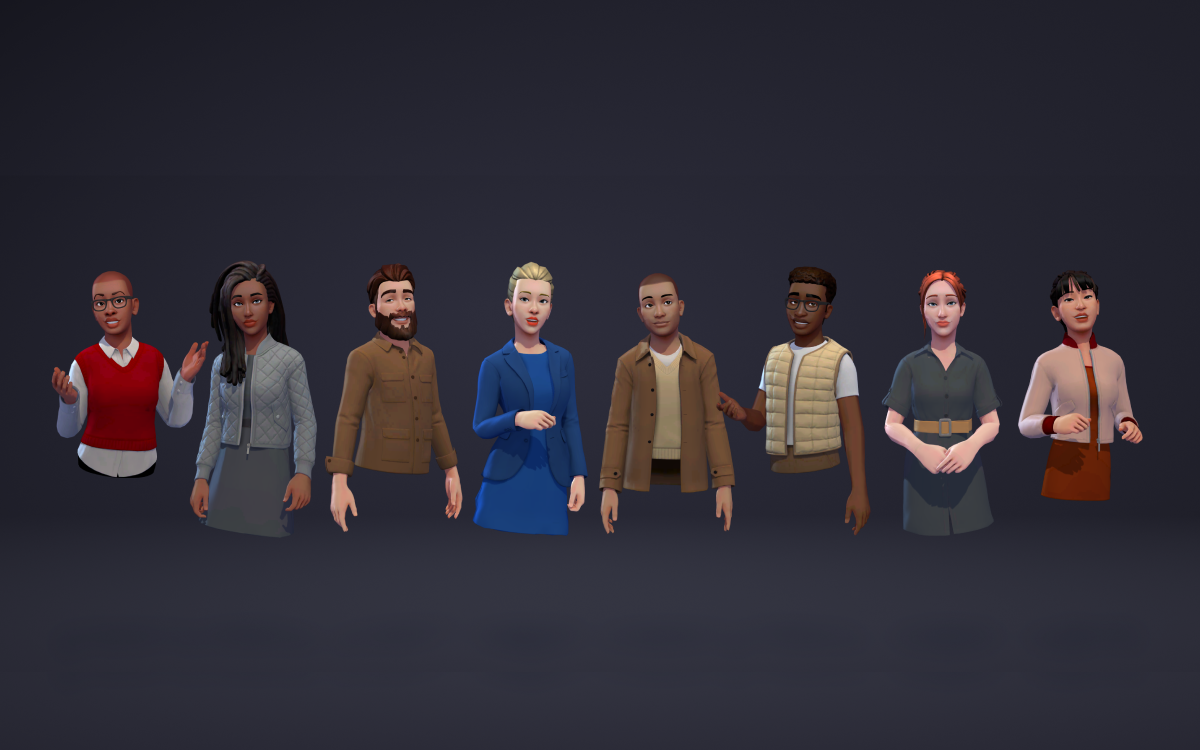
5. Microsoft Teams: Animated Meeting Avatars
Teams released expressive avatars that act as stand-ins during calls, offering gestures, reactions, and presence states.
Used in:
- Live meetings
- Reactions
- Presence/activity indicators
6. GenAI Platforms: Generated Animated Profile Avatars
Creative AI tools allow users to generate stylised avatars of themselves for social profiles or branding.
Used in:
- Social identity
- Creator branding
- Promotional content
7. Banking & Fintech: Virtual Advisor Avatars
Several financial institutions use friendly animated advisor avatars to guide users.
Examples include:
- OCBC – early “Emma” versions
- DBS Bank – animated digital advisors in campaigns
- WeBank (China) – avatar-based onboarding helpers
Used in:
- Onboarding
- Guided support flows
- Chat-based interactions
How Lottie helps you build animated avatars like these
While the brands above use a mix of technologies, the underlying needs are the same: expressive motion, multiple emotional states, tiny file sizes, cross-platform consistency, and fast updates.
This is exactly where Lottie and dotLottie excel.
With vector clarity, small file sizes, State Machines, Theming, and one-file .lottie packaging, you can create animated avatar systems that are:
- expressive
- reactive
- customizable
- Scalable
- lightweight
- and easy to maintain across platforms
Whether you're building Bitmoji-style identity avatars, instructor-style guides like Duolingo, or support avatars for enterprise apps, Lottie gives you everything you need to bring your animated avatars to life.
Download ready-to-use avatar animations
Kickstart your system with free avatar-friendly animations from the LottieFiles library:
Open any animation in Lottie Creator to customize expressions, colours, and states.
Production Tips for Building Better Lottie Avatars
1. Think in States, Not Sequences
When designing animated avatars, start by mapping out the essential behaviours your avatar needs to express. This usually includes core states like idle, blink, smile, excited or celebratory moments, typing indicators, confused expressions, listening states, sad or error moments, and even loading behaviours. Instead of exporting each animation as separate files, package all of these behaviours into a single State Machine. This keeps your avatar lightweight while allowing it to respond dynamically to user input and app events.
2. Add Micro-Gestures
The smallest motions often create the biggest sense of life. Micro-gestures such as breathing loops, tiny eye darts, subtle head tilts, timing variations, and gentle accessory movement add depth and believability to an avatar’s personality. These details make avatars feel present and expressive without overwhelming the interface, and Lottie handles these nuances beautifully while remaining performant.
3. Keep Layers Clean & Efficient
Smooth avatar performance begins with clean vector structure. Optimised layers export best and render fastest, especially on mobile devices. Aim to reduce unnecessary masks, effects, nested compositions, and raster textures. The cleaner the file, the smoother the avatar behaves — particularly in animation-heavy screens or low-bandwidth environments.
4. Design for Personalization
If your avatar system supports user customisation, design your asset with modularity in mind. Create tintable colour groups, swap-friendly facial features, themable outfits, and flexible face rigs that can support a wide range of expressions. dotLottie Theming makes this especially effortless, allowing colours and styles to be changed instantly without rebuilding the animation. A well-structured avatar ensures users can personalise their identity while keeping your animation system maintainable and scalable.
Start Bringing Your Animated Avatars to Life
Whether you're building expressive profile identities, interactive guide characters, or avatar reactions for communication apps, Lottie gives you everything you need to make avatars lightweight, emotive, and responsive.
With tools like:
…your avatar becomes a living part of your product — not just an illustration.
Frequently Asked Questions (FAQ)
1. Why use Lottie for animated avatars instead of GIFs or videos?
Lottie provides expressive vector animation in tiny file sizes and supports interactive behaviours, unlike GIFs or video formats.
2. Can Lottie avatars be interactive?
Yes. State Machines let avatars react to input, events, or presence states — all within one .lottie file.
3. Do I need motion design experience?
No. Lottie Creator is beginner-friendly and supports AI tools for animation assistance.
4. How many states can one avatar file contain?
As many as needed — idle, blink, celebrate, typing, sad, listening, confused, etc.
5. Are Lottie avatars supported in mobile apps?
Yes — iOS, Android, React Native, Flutter, Web, Unity, and embedded systems.
6. Can avatars be personalized?
Absolutely. Using Theming, teams can change colour groups, features, or outfits without rebuilding animations.
7. Can avatars respond to AI or real-time data?
Yes. Lottie avatars can react to text, behaviour, voice, or ML-driven logic.
8. What do I need to get started?
Just Lottie Creator, a LottieFiles account, and the runtime for your platform.
9. How do I optimize an avatar animation?
Use clean vector shapes, avoid raster textures, minimise masks, and simplify curves.
10. Where can I find ready-made avatars to remix?
Browse the LottieFiles library for expressive characters, reactions, and avatar-emotion sets.
You may also like

14 Creative Examples of Animated 404 Pages
404 pages don’t have to be boring. Get inspired by these creative animated examples.

How Do Lottie Animations Help with SEO?
Staying ahead of the competition means constant optimization.
Lottie Character Animation: Bring Your Brand Mascot to Life
Lottie’s unique qualities are ideal for personality-driven motion.
Lottie for Automotive Dashboards & Navigation UI
Here's how designers and brands are prototyping next-gen HMIs & navigation apps.